Short answer
Keep it to one page. List 3 to 6 competitor changes from the month, each with a date, a before and after screenshot and one sentence on what changed. Add one line on why each matters, then 1 to 3 recommended actions tied to those changes. Say in one line which competitors did nothing.
Why the competitor section earns its place
Rankings and traffic tell a client how they are doing. The competitor section tells them what the market is doing. It is the part they repeat in their own meetings, because "our main rival just cut prices" is easier to act on than a traffic chart.
It is also the section that most often goes thin when a month gets busy. A fixed template fixes that. You fill in the same boxes every month, and the client learns where to look.
The template
- Headline. Two or three sentences: the biggest move, why it matters, what you recommend. Write it last.
- What changed. 3 to 6 items. For each: competitor, page, date found and one sentence on what changed.
- Proof. A before and after screenshot for each item. This is what makes the section credible.
- Why it matters. One sentence per item, in the client's terms. Leads, bookings, price objections.
- What we recommend. 1 to 3 actions, each tied to an item above. Include "no action" when that is the right call.
- Quiet competitors. One line naming the competitors with no pricing, offer or service changes this month.
That is the whole section. If it runs past one page, cut items, not sentences.
A filled-in example
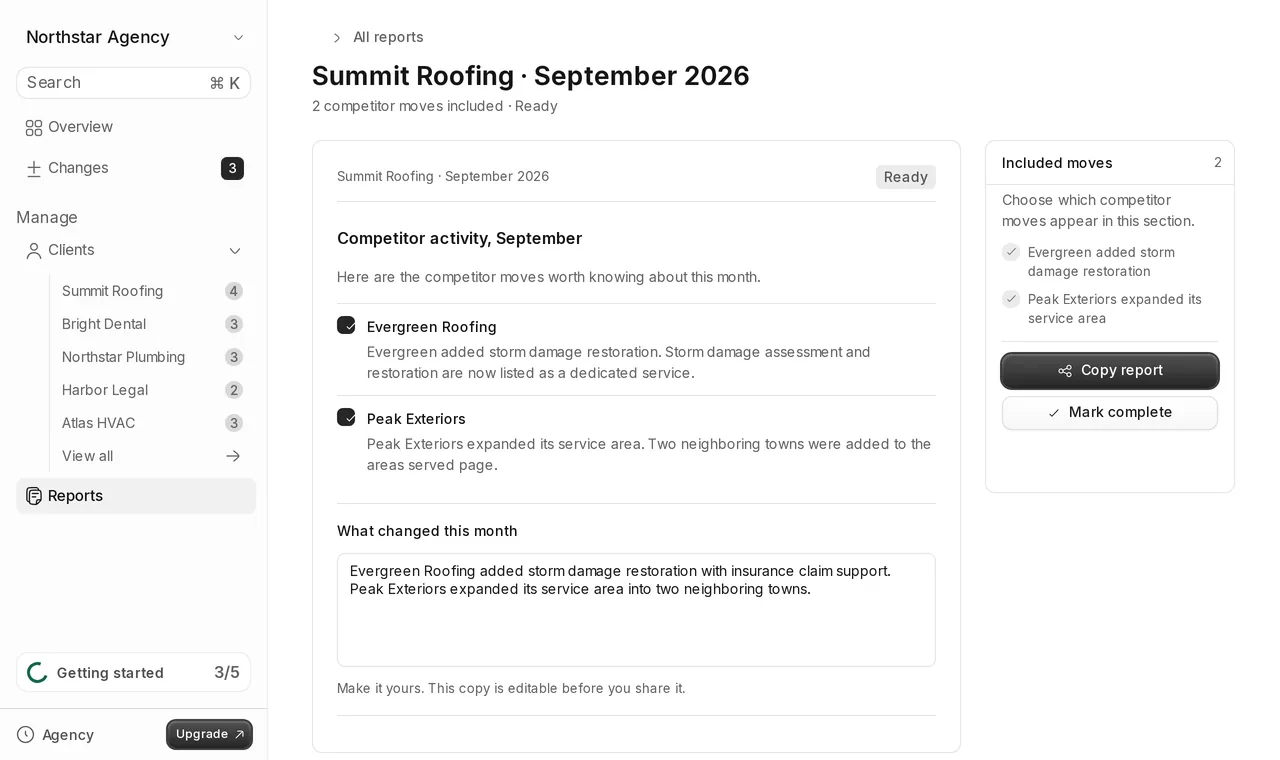
Here is the template filled in for a roofing client. The businesses are illustrative, taken from the demo data in Tonic.
Headline
Two competitors expanded this month. Evergreen Roofing now sells storm damage restoration, and Peak Exteriors serves two more neighboring towns. We recommend putting your own storm damage service front and center before winter.
What changed
- Evergreen Roofing, services page. Added storm damage restoration with insurance claim support.
- Peak Exteriors, service area page. Two neighboring towns were added to the areas served.
Why it matters
- Storm damage jobs are high value, and Evergreen now competes for them directly.
- Peak Exteriors will start showing up for leads in towns you serve.
What we recommend
- Give your storm damage service its own landing page and a clear call to action.
- Watch Peak Exteriors' offers in the two new towns next month.
Quiet competitors
No pricing, offer or service changes from RoofPro or ABC Roofing.
What to leave out
- Raw diffs. A highlighted block of changed HTML means nothing to a client.
- Screenshots without a sentence. If you cannot say what changed in one line, it probably does not belong.
- Low-signal pages. Blog posts, job listings and legal pages, unless they reveal a real move.
- Every tiny edit. A reworded button is not news. A new guarantee is.
How to collect it without a month-end scramble
Do not build the section on the last day of the month. Keep a running log per client and review it once a week. When a change is worth reporting, mark it right away, with the screenshot and the sentence. At month end, you only pick the top items and write the headline.
If you track the changes by hand, our guide on how to track competitor price changes for your clients covers the log and the baseline screenshots.
Common mistakes
- Changing the format every month, so the client cannot find anything.
- Missing dates. A change without a date cannot be acted on.
- Recommendations that have nothing to do with the changes listed.
- Reporting an offer after it already ended. Check often enough to catch it while it runs.
Doing it in Tonic
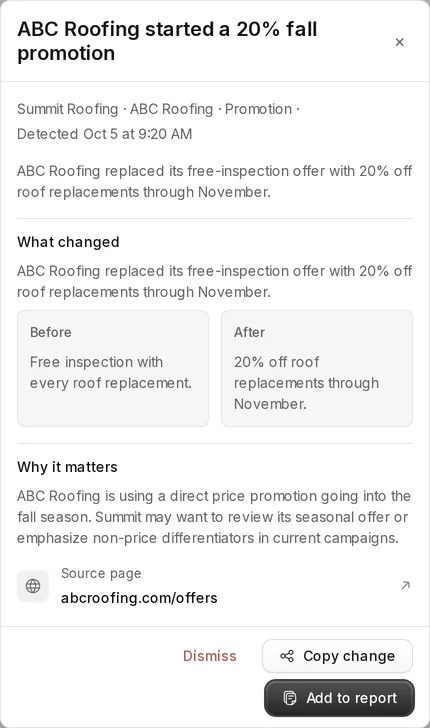
Tonic builds most of this section for you. It checks each client's competitors every Monday and Thursday, ignores noise like dates and ads, and saves each change with before and after proof and a plain-words summary, ranked by importance. You review a change and add it to the client's report.
The report collects the moves you approved and an editable summary. Send it as a share link that the client opens without an account, as a PDF, or copy the text into the report you already send.
See how website change tracking with screenshot proof works, or compare plans and per-client pricing.