Short answer
To track competitor website changes, watch the few pages that state prices, offers and services, compare them on a fixed schedule, and keep a before and after screenshot of every real change. Tonic does this for each client's competitors every Monday and Thursday, filters noise like dates and ads, and explains each change in plain words.
The problem with checking sites by hand
Opening every competitor site before each client call takes hours, and you still miss things. A service quietly disappears. An offer gets a new end date. Nobody remembers what the page said last month.
Without a record, you cannot prove a change happened. Your client gets a guess instead of evidence.
What changes are worth tracking
- Pricing. A competitor that cuts or raises prices changes what your client's leads compare against.
- Offers and promotions. A limited-time deal can pull leads away for weeks. Your client wants to know while it runs.
- Services added or removed. A new service is a new threat. A dropped one is an opening your client can claim.
- Messaging. A new guarantee or headline shows how a competitor is trying to win, and gives your client something to answer.
How Tonic tracks changes
Finds the pricing and offer pages for you
You add a competitor's website. Tonic finds its pricing and offer pages and tracks up to 3 key pages per competitor, so you do not have to hunt for URLs.
Checks every Monday and Thursday
Tonic checks twice a week. Many general monitors check far more often. For agency reporting, a steady twice-weekly record of explained changes is easier to act on than a constant feed.
Ignores noise like dates and ads
Changing dates, ads and other page clutter are filtered out, so you only see changes a person would care about.
Before and after screenshots plus a plain-words summary
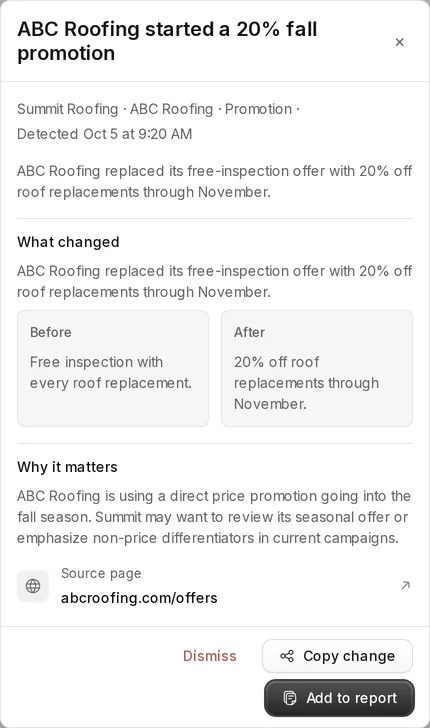
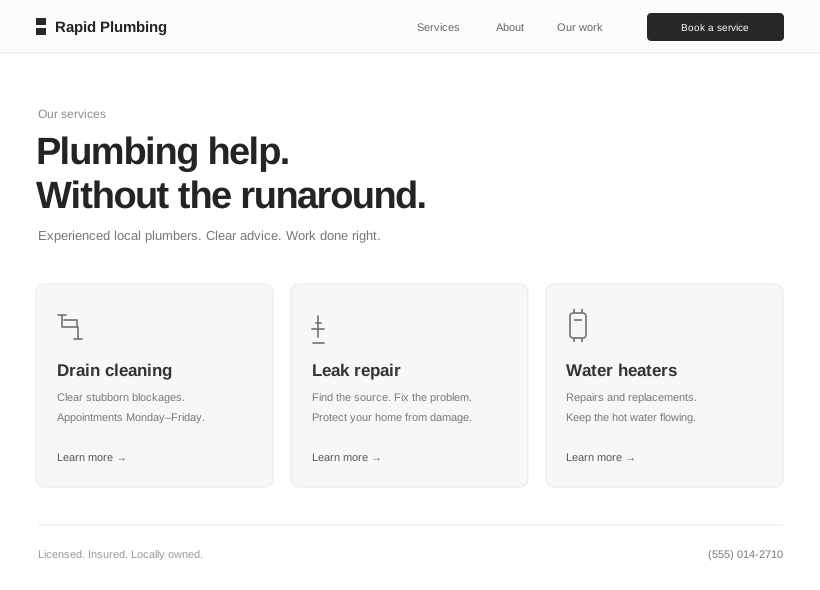
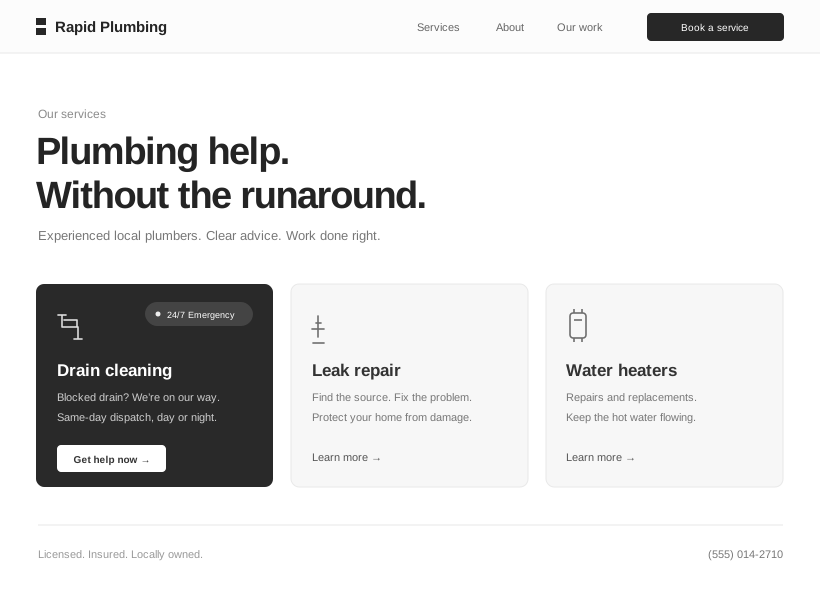
Every change is saved with a before and after screenshot and a short summary, such as "Free inspection replaced with 20% off full replacements until Nov 30." Changes are ranked by importance, so pricing and offer moves rise to the top.
Page monitors vs competitor tracking
A page monitor such as Visualping watches a URL you give it and tells you that something on it changed. That works for any page and any use case.
Tonic is built around competitors and clients instead of URLs. You add a client and its competitors, Tonic finds the pages that matter, and each change arrives explained in plain words, ranked, and filed under the right client. The output is a client report, not a list of diffs.
Turning changes into a client report
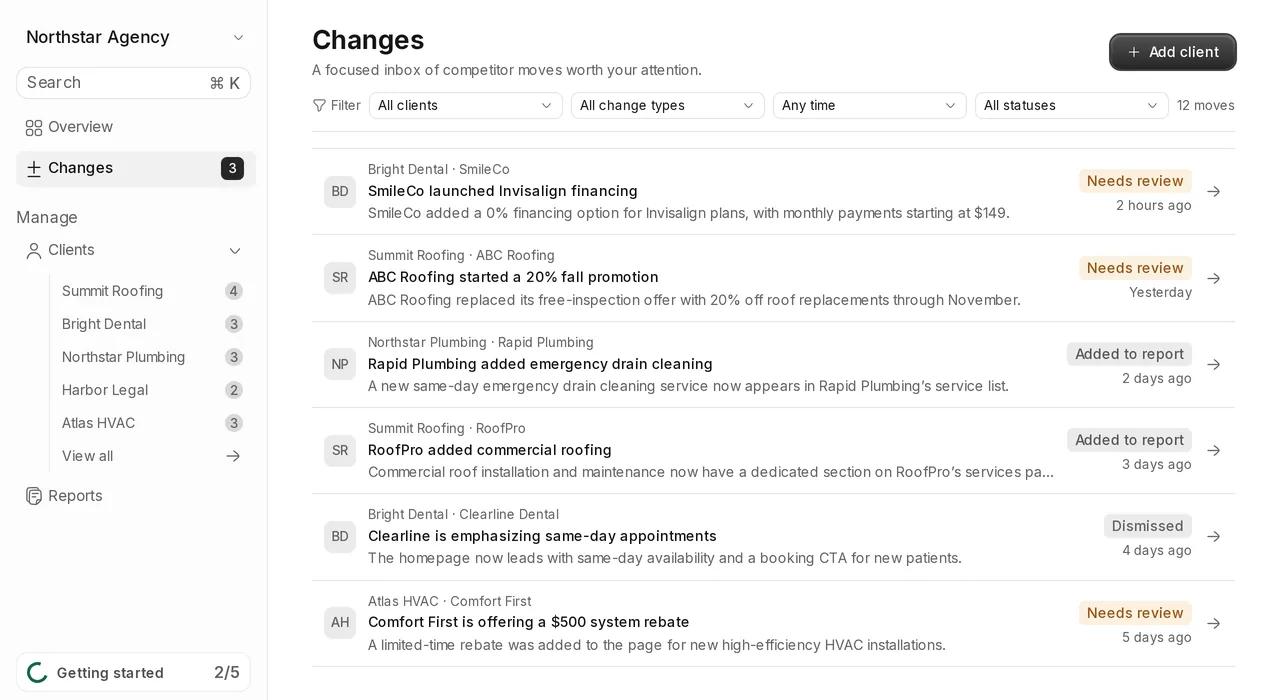
Approve the changes you want to share and they go into that client's report. Send it as a share link or a PDF, or copy the text. Each report covers one account and nothing else. Every plan also sends a client-ready weekly digest, and Agency and Studio teams get changes in Slack.
The record builds over time. When a client asks when a competitor changed its offer, you have the date and the screenshot.
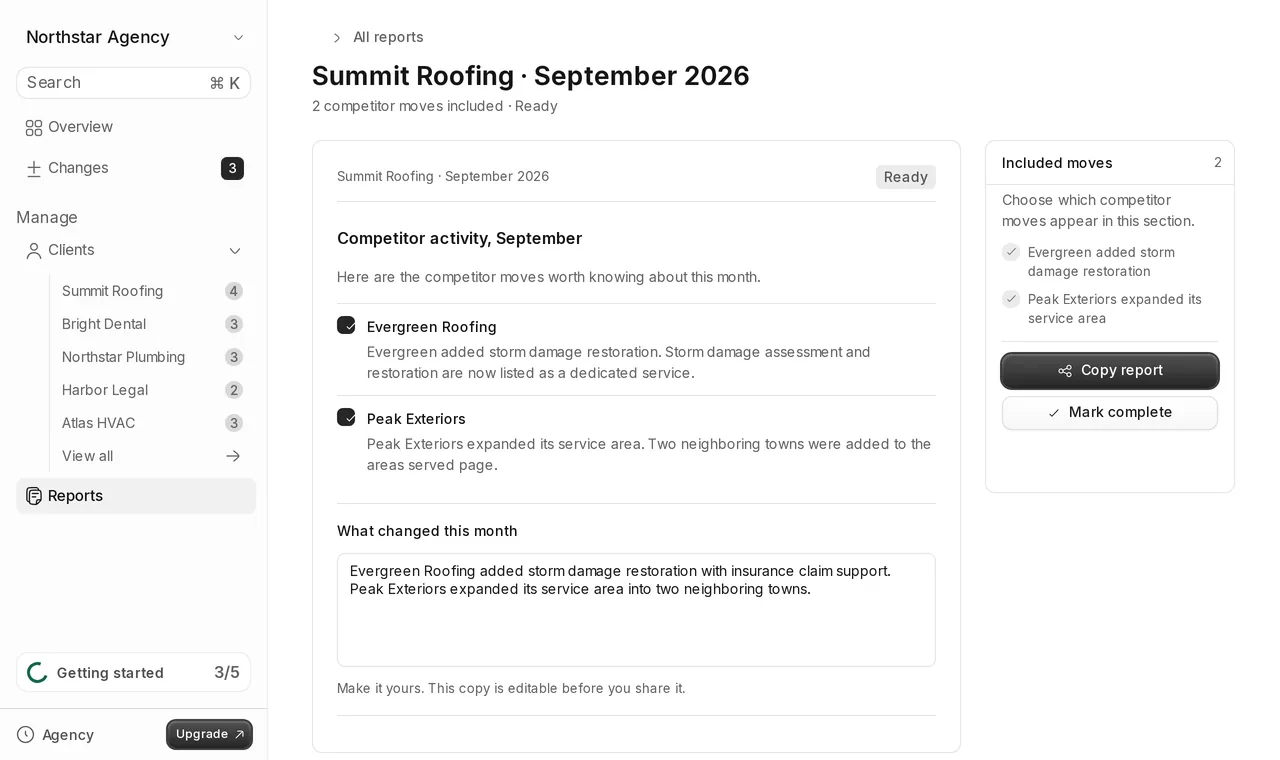
For a ready-made layout, see how to add a competitor section to your monthly client report.
Is it OK to monitor a competitor's website?
Tonic checks public pages, the same pages any visitor can open in a browser. It does not log in to competitor sites or access anything behind a password. If you have questions about a specific site's terms, check them or ask your own legal adviser.
Which pages to watch on a competitor site
Most competitor sites have dozens of pages, and most of them rarely matter. Blog posts, job listings and legal pages change often and say little about how a competitor competes. The pages that move a client's business are the ones that state a price, an offer or a service. That is why Tonic focuses on up to 3 key pages per competitor and finds the pricing and offer pages first.
For a service business, those are usually the pricing or rates page, a specials or offers page, and the main services page. Watching those three closely beats watching thirty pages loosely.
Why twice a week works for agency reporting
Agencies report on a rhythm: a weekly check-in, a monthly report, a quarterly review. A check every Monday and Thursday catches promotions while they are still running and keeps the change list short enough to review in a few minutes per client.
Fewer, explained changes are also easier to pass on. Your account managers spend their time deciding what a change means for the client, not sorting through alerts.