Short answer
A competitor monitoring tool watches what competitors change in public and tells you when it happens. The main types are page-change monitors, enterprise intelligence platforms, ecommerce price trackers and SEO suites. For agency client work, pick one that groups competitors by client, filters noise, saves screenshot proof and produces a report you can send.
What a competitor monitoring tool does
A competitor monitoring tool watches what other businesses do in public and tells you when something changes. Depending on the tool, that can mean a new price on a website, a new ad, a ranking shift in search, or a post on social media.
For a single company, one marketer usually watches a handful of rivals. For an agency, the job multiplies: every client has its own competitors, and every client expects you to know what they are doing. The right tool depends on which of those signals your clients actually pay you to watch.
The main types and who each is for
Most tools fall into a few categories. None is best for everyone. Each is built for a different job.
Page-change monitors
Tools such as Visualping and Distill watch any URL you give them and alert you when the page changes. They are flexible and work for almost any use case, from competitor pages to government notices. The tradeoff is that you choose the URLs, and you interpret every change yourself. For many clients, the alerts pile up fast.
Enterprise competitive intelligence platforms
Platforms such as Klue, Crayon and Kompyte are built for product marketing and sales teams at larger companies. They collect news, reviews, website changes and internal field notes, and turn them into battlecards for sales reps. They suit one company tracking its own market in depth. They are rarely set up for an agency running many separate client accounts.
Ecommerce price trackers
Tools such as Prisync match products across online stores and track catalog prices, often feeding repricing rules. If your clients sell thousands of products online, this is the category to look at.
SEO, ads and social tools
Suites such as Semrush and Similarweb show competitor rankings, traffic estimates, keywords and ads. They answer "how visible is this competitor" rather than "what did this competitor change on its site". Many agencies already pay for one.
Competitor tracking built for agencies (Tonic)
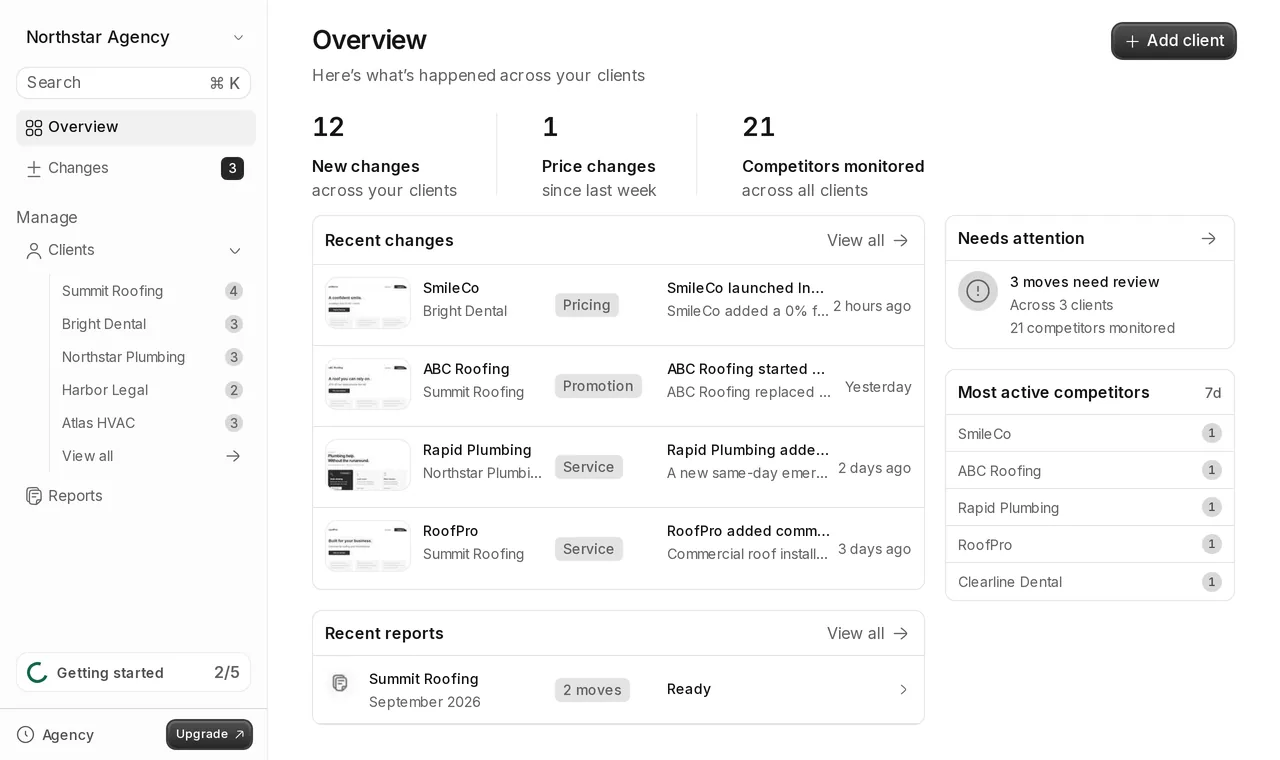
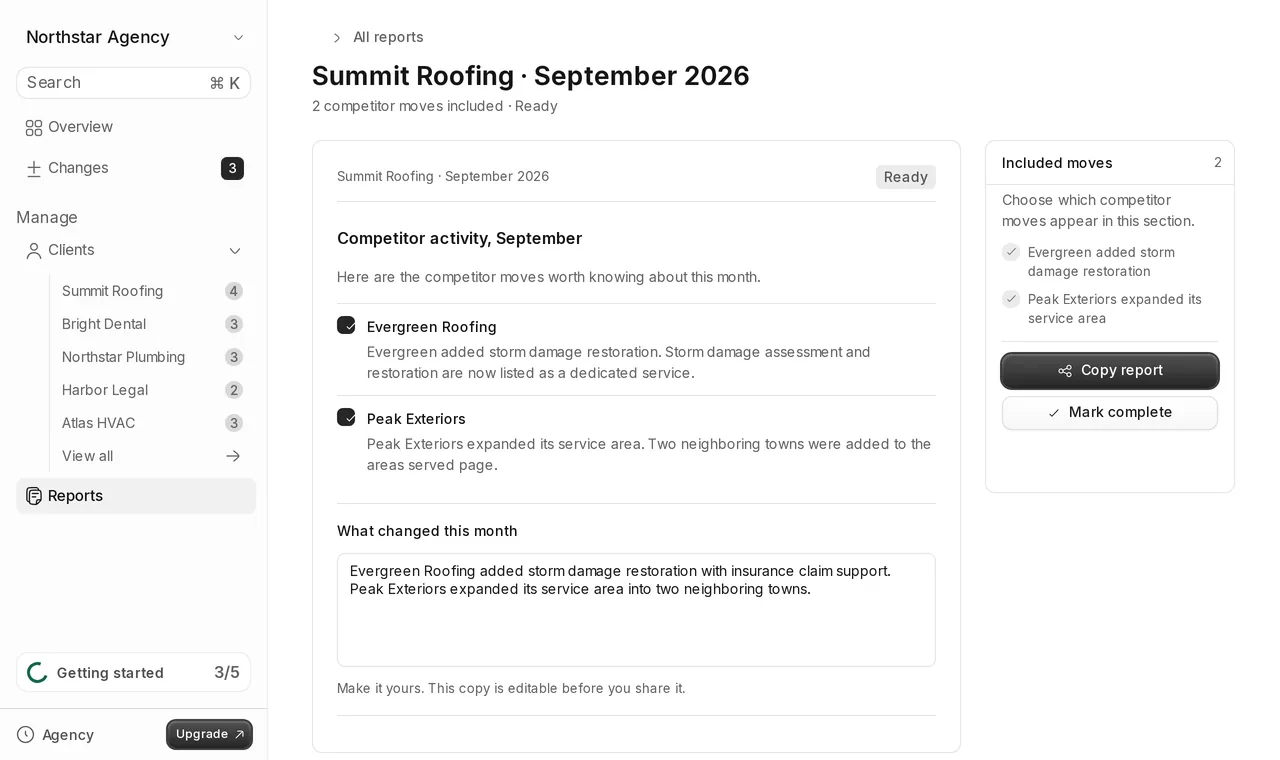
Tonic is built for agencies that report on their clients' competitors. You add clients and their competitors, Tonic finds the pricing and offer pages, checks them twice a week, and explains each meaningful change with screenshot proof, organized by client and ready for a report.
What agencies need that most tools miss
- Organization per client. Changes need to land under the right client automatically. A flat list of alerts across thirty competitors does not survive a busy week.
- Proof clients accept. A client trusts a before and after screenshot more than a summary from memory.
- Noise filtering. Dates, ads and rotating content create false alerts. Every false alert costs review time across the whole roster.
- Report output. The work ends in a client report. A tool that stops at an alert leaves the copying and formatting to you.
- Pricing per client. Agencies price work per client. A cost you can divide cleanly by client is easier to build into a retainer than metering per page or per check.
A checklist for evaluating any tool
Use these questions on any tool you consider, including Tonic.
- Pages covered. Does it find the important pages, or do you supply every URL?
- Check frequency. How often does it check, and does that match how often you report?
- Noise handling. Does it ignore dates, ads and layout shifts, or flag every edit?
- Evidence. Does it save before and after screenshots you can show a client?
- Explanations. Does it say what changed in plain words, and rank changes by importance?
- Multi-client structure. Can you group competitors by client on the plan you can afford?
- Sharing. Can a client open a report without an account? Is there a PDF?
- Alerts. Email, Slack, or both? Can the right teammate see the right client?
- Billing model. Flat per year, per competitor, or per check? What does it cost per client?
Where Tonic fits, and where it doesn't
A good fit
Agencies with service-business or small-business clients, such as roofers, law firms, clinics and home services, who want twice-weekly, explained, screenshot-backed changes in their client reports.
Not a good fit
- You need checks more often than twice a week.
- You need to track ecommerce product catalogs or SKU prices.
- You need SEO rankings, ads or social media tracking.
- You need enterprise battlecards for a sales team.
In those cases, one of the categories above will serve you better.
Pricing
Tonic has three plans, billed yearly in USD. Solo is $599/year for 5 clients. Agency, the most popular plan, is $799/year for 15 clients with team seats and Slack. Studio is $1,999/year for 40 clients. Every plan includes multi-client organization, screenshot proof and shareable reports. See full pricing.
What these tools cost
Pricing models differ by category, and the model matters as much as the number. Page-change monitors usually price by the number of pages and how often they are checked. Enterprise platforms are typically sold on custom, sales-led contracts. Ecommerce price trackers usually price by the number of products. SEO and traffic suites price by seats and usage limits.
For an agency, the useful number is the cost per client per year. Divide the plan price by the number of clients it covers, then check that the plan you can afford actually lets you group competitors by client. Tonic costs about $120 per client per year on Solo, about $53 on Agency and about $50 on Studio.
Free options
You can do this without paying for a tool. Bookmark each competitor's pricing and offers pages, check them on a schedule, and save a screenshot whenever something changes. Free tiers of page-change monitors can automate part of that for a few pages. Our step-by-step workflow for tracking competitor price changes shows how to run it by hand.
This works for one or two clients. It breaks down as the roster grows: the checking takes hours, screenshots end up scattered across folders, and nobody explains what changed. That is usually the point where a paid tool earns its cost.
Setting up monitoring for a new client
Whatever tool you choose, start with the client, not the tool. Ask which competitors they lose deals to and which ones they mention in meetings. Three to five competitors per client is a sensible start. Then decide what you will do with the output: a line in the weekly update, a section in the monthly report, or a slide in the quarterly review. A tool is only worth it if its output lands in one of those places.
For the full kickoff process, see how to choose which competitors to track for a client.